Here is an uncomfortable experiment. Pull up the last chart you presented. Hand it to someone who was not in the meeting. Give them ten seconds. Then ask them what it says.
If they hesitate, the chart failed. Not the data. Not the audience. The chart.
Most business charts fail this test, and the reason is almost always the same: they try to say too much. This post shows you why that happens, what it is quietly costing you, and the exact fixes the sharpest analysts use to make charts that people actually understand.
The dirty secret of the "comprehensive" chart
Everyone says they want the full picture. Nobody can read it.
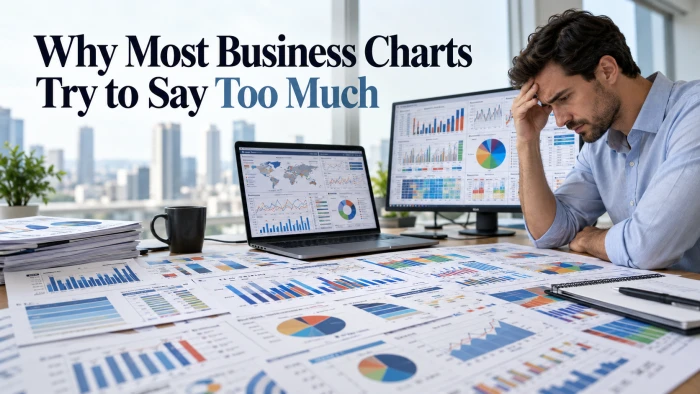
A chart with eight series, two y axes, and a legend that needs its own slide is not comprehensive. It is a spreadsheet wearing a costume. The reader still has to do the analysis themselves, and most readers will not. They nod, they skim, and they wait for someone to tell them what it means.
That person is you. Which raises the question: if you have to explain the chart out loud, what was the chart for?
The one sentence test that exposes a bad chart instantly
Before you touch any charting tool, write down what the reader should walk away knowing. One sentence. No commas if you can help it.
"Churn doubled in March."
"The West region is the only one growing."
"Costs are rising faster than revenue."
If you can write that sentence, it becomes your title. If you cannot, you do not have a chart yet. You have a pile of numbers and a hope.
7 reasons smart people build terrible charts
None of these happen on purpose. All of them happen constantly.
1. Fear of leaving something out. The data exists, so it feels wasteful not to show it. The chart becomes a storage unit.
2. One chart for every audience. Finance wants margin, sales wants pipeline, ops wants headcount. One visual gets built to please all three and pleases none.
3. Confusing exploring with explaining. When you are analyzing, you want everything on screen. That is fine for you. Presenting that same chart hands your raw thinking to people who did not ask for it.
4. Software defaults. Every extra axis, series, or 3D effect is one click away. Each click feels like adding information. Usually it is adding noise.
5. The effort illusion. A dense chart looks like hard work. A simple chart looks easy. In reality the simple chart took longer, because someone had to decide what to cut.
6. Nobody wants to be the one who hid a metric. If a number is on the chart, you cannot be blamed for not showing it. This is defensive charting, and it kills clarity.
7. No one taught you. Most people learned charts by copying whatever the last deck looked like. The last deck was also bad.
What the cluttered chart is actually costing you
Slower decisions. Every extra element adds seconds before understanding. Multiply that by everyone in the room and every meeting this quarter.
Fake insights. Put two metrics on two y axes and the lines will cross somewhere. Readers see a "crossover" and treat it as meaningful. It is an artifact of scaling and means nothing.
Lost trust. Edward Tufte coined the term chartjunk for visual elements that do not help the reader understand the data, and his core point was that clutter makes a chart look less trustworthy rather than more. The Wikipedia page on chartjunk covers the full history and the debate around it. In business terms: when readers see a mess, they assume the maker either did not understand the data or is hiding something inside it.
The real finding gets buried. If churn doubled in March and that is the single most important fact in the deck, it should not be sharing a chart with nine other lines.
The 10 second rule
A chart in a business setting gets about ten seconds of real attention. After that, people either get it or they check their phone.
Design for those ten seconds. Not for the one person who will study it later. Not for the appendix. For the moment it appears on screen and thirty eyes land on it.
If the point does not land in ten seconds, cut until it does.
The fixes the best analysts actually use
Match the chart to the question
Change over time is a line chart. Comparing categories is a bar chart. Relationships between two variables is a scatter plot. That covers most business questions. Microsoft's guide to available chart types in Office explains when each type fits, and the principles apply no matter which tool you use.
Fancy chart types rarely earn their complexity. When in doubt, bars or lines.
Use small multiples instead of stacking
Need to show six regions? Do not put six lines on one chart. Make six small charts with identical axes in a grid. Each one stays readable, and comparison becomes effortless.
Kill the second y axis
Dual axes cause more confusion than they solve. If two metrics must be compared, show them as two charts, or index both to a common starting point so they share one scale.
Make color do exactly one job
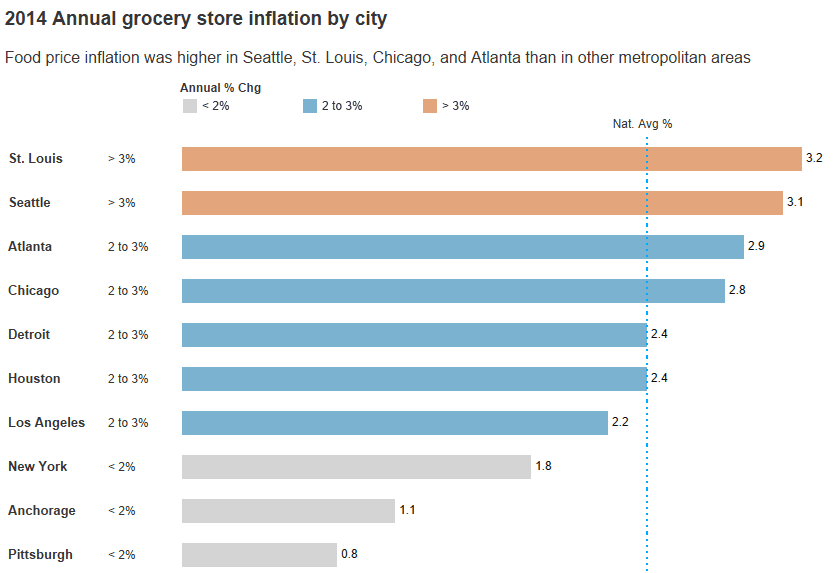
Gray for everything that is context. One strong color for the one thing you want noticed. If every series is bright, nothing is.
Strip what does not carry meaning
Gridlines, borders, shadows, 3D effects, background fills, redundant legends. Remove each one and ask if the chart got harder to read. It almost never does.
Put the finding in the title
"Monthly Revenue" is a label. "Revenue grew 18% after the pricing change" is a message. The second version tells readers what to look for before they look.
Before and after: the same data, two very different outcomes
Before: One line chart. Revenue, cost, margin percentage, and headcount for four regions. Two y axes. Sixteen lines. Title: "Regional Performance Q3."
After: Four small bar charts, one per region, each showing margin by month. The region that improved is in blue. The rest are gray. Title: "West region margin improved 6 points in Q3 while others stayed flat."
The second version shows less data. It communicates ten times more.
The "but my boss wants everything" problem
This is the most common objection, so it deserves a real answer.
Your boss does not want everything. Your boss wants to not be surprised. Those are different things.
Give them the one chart that makes the point. Put the full data in an appendix or a linked sheet. Say out loud: "The detail is in the appendix if you want to dig in." Almost nobody digs in. Everybody appreciates the clear chart.
If someone does ask a question the main chart cannot answer, that is a win. It means they engaged. Build a second chart for that question.
Steal this checklist
Run every chart through this before it leaves your laptop.
- Can you state the main point in one sentence?
- Is that sentence the title?
- Does the chart make one comparison, not five?
- Is there a single y axis?
- Is there one highlight color and everything else muted?
- Can you remove any element without losing meaning? If yes, remove it.
- Would a stranger understand it in ten seconds?
One "no" means the chart is still saying too much.
The takeaway
The best business charts look almost too simple. That is not laziness. It is the result of someone doing the hard work of deciding what matters and having the discipline to leave out the rest.
Your job is not to show the data. Your job is to make one point so clearly that nobody has to ask what it means.
Go find your last chart. Run the ten second test. You already know what you will find.