
Your dashboard looks stunning. The colors are on brand, the charts are interactive, and leadership loves it. There is just one problem: the numbers are wrong. This is exactly why data needs editing before it needs design. Data editing, the process of cleaning, correcting, and standardizing raw data, is the unglamorous step most teams skip on the way to building beautiful visualizations. Skipping it is expensive. In this guide, you will learn what data editing really means, what dirty data quietly costs your business, and a simple six step workflow to fix your data before a single chart gets built. If you manage CRM data, sales reports, or business dashboards, this one is for you.
Quick answer: Data needs editing before design because visualization amplifies whatever it is given. A chart built on duplicate, outdated, or inconsistent records turns bad data into confident bad decisions. Editing the data first, by removing duplicates, fixing errors, and standardizing formats, ensures every dashboard tells the truth.
The Beautiful Dashboard Trap: When Great Design Hides Bad Data
Design adds credibility. A number inside a polished chart simply feels more trustworthy than the same number sitting in a messy spreadsheet. That is the trap. When dirty data gets a professional visual treatment, errors do not disappear. They get dressed up and presented with confidence.
Think of it this way: garbage in, gospel out. The moment a flawed figure appears in a boardroom slide, people stop questioning it and start acting on it. Budgets shift, targets change, and teams chase numbers that were never real.
The fix is not better design. The fix is editing the data before design ever begins.
What Is Data Editing? (And Why It Is More Than Data Cleaning)
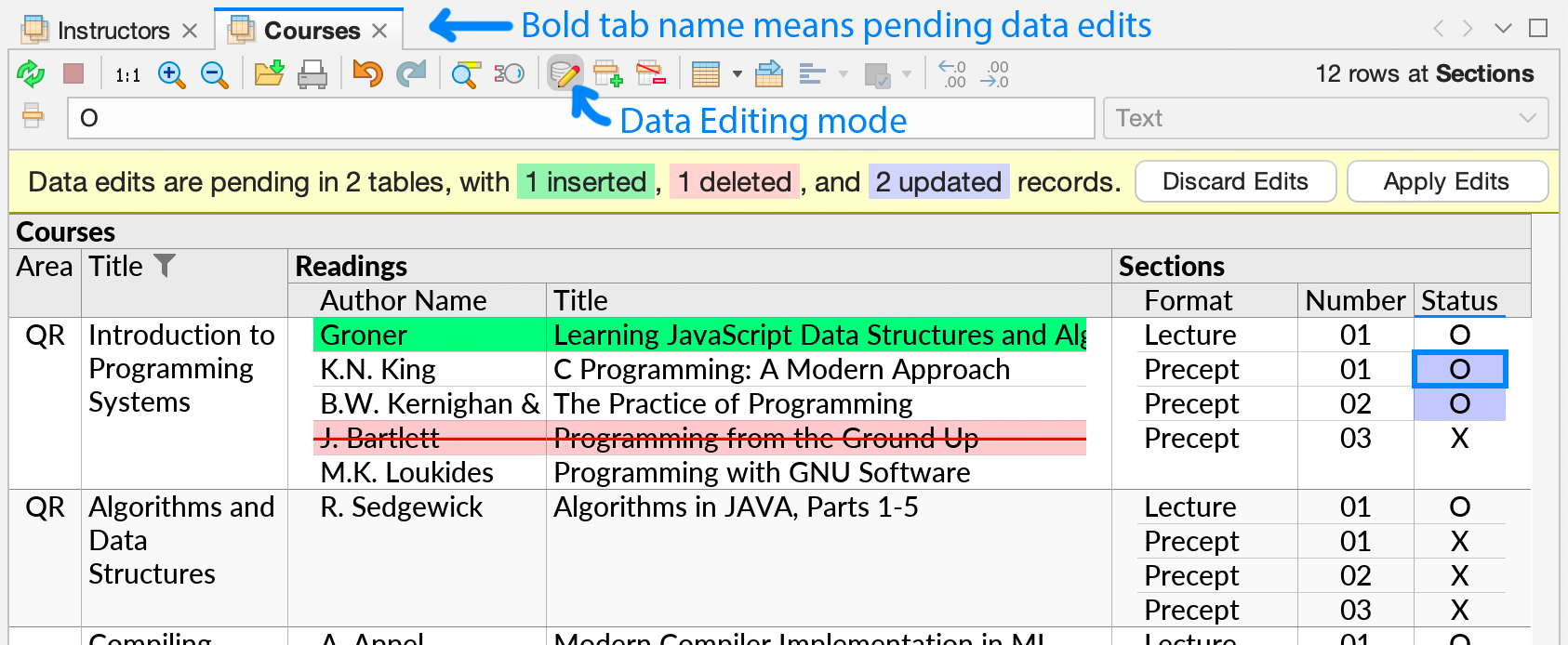
Data editing is the process of reviewing, correcting, validating, and standardizing data before it is analyzed or visualized. Data cleaning is one part of it. Full data editing covers the complete journey from raw input to decision ready information:
• Validation: checking that values are accurate, within range, and from a verifiable source
• Deduplication: finding and merging duplicate records, such as the same customer entered three different ways
• Standardization: enforcing consistent formats for dates, names, units, and categories
• Completeness checks: filling critical gaps or flagging records with missing fields
• Outlier review: investigating values that look wrong before they skew an average
• Enrichment: adding missing context, such as segment, territory, or category
These map closely to the dimensions of quality that analysts use to judge data, including accuracy, completeness, consistency, timeliness, uniqueness, and validity. If your data fails on these dimensions, no chart type, color palette, or clever layout can save it.
The Real Cost of Skipping Data Editing (These Numbers Should Worry You)
Bad data is not a minor inconvenience. It is a measurable financial drain:
• Poor data quality costs organizations an average of $12.9 million every year, according to Gartner research
• On average, 47% of newly created data records contain at least one critical error, and only 3% of companies had data quality scores rated acceptable, according to a Harvard Business Review study published in Business Horizons
• 59% of organizations do not even measure data quality, per the same Gartner page, which means most teams have no idea how much bad data is costing them
Now add the hidden costs: sales reps chasing contacts that no longer exist, marketing budgets targeting duplicate accounts, forecasts built on double counted revenue, and hours of analyst time spent reconciling two dashboards that disagree. Every one of those problems started upstream, long before anyone opened a design tool.
5 Reasons Data Needs Editing Before It Needs Design
1. Design amplifies errors instead of fixing them. Visualization is a megaphone. It makes patterns easier to see, including patterns that are not real. A duplicate record does not vanish inside a bar chart. It inflates the bar.
2. Trust breaks once and is slow to rebuild. The first time a stakeholder catches a wrong number on a dashboard, they start double checking everything. Adoption drops, shadow spreadsheets return, and the entire analytics investment loses value.
3. Errors get more expensive the further they travel. A typo caught at entry takes seconds to fix. The same typo caught after it has flowed into reports, forecasts, and incentive calculations takes meetings, rework, and sometimes apologies to fix.
4. Clean data makes design simpler and sharper. When the data is trustworthy, designers can focus on clarity instead of caveats. Fewer footnotes, fewer disclaimers, fewer mystery spikes to explain away.
5. AI and analytics multiply whatever you feed them. Predictive models, automated alerts, and AI assistants all learn from your data. Feed them edited, consistent records and they get smarter. Feed them noise and they confidently automate your mistakes.
Data Editing vs Dashboard Design: What Comes First?
Both matter. The order is what most teams get wrong.

| Aspect | Data editing | Dashboard design |
|---|---|---|
| Core question | Is this true? | Is this clear? |
| When it happens | Before analysis and visualization | After the data is verified |
| Main activities | Validating, deduplicating, standardizing, enriching | Choosing charts, layout, colors, interactions |
| Output | A reliable, decision ready dataset | A readable, engaging visual story |
| Risk if skipped | Confident decisions based on wrong numbers | Correct numbers that nobody understands |
The rule is simple: edit first, design second. Design answers how to show the data. Editing answers whether the data deserves to be shown at all.
A Simple 6 Step Data Editing Workflow You Can Start Today
1. Audit what you have. Profile your key datasets. Count duplicates, missing fields, and format inconsistencies so you know the real starting point.
2. Define what clean means. Agree on standard formats, required fields, naming conventions, and who owns each dataset. Without a definition, cleaning never ends.
3. Deduplicate and merge. Identify records that describe the same customer, account, or contact and merge them into a single source of truth.
4. Standardize formats and values. One date format, one unit system, one spelling per category. Consistency is what makes comparison possible.
5. Fix gaps at the source. Fill critical missing values, verify suspicious entries, and correct the form or process that let the bad data in.
6. Automate ongoing checks. Add validation rules at the point of entry and schedule regular quality reviews, because clean data is a habit, not a one time project.
Quick Guide: Data Visualization Tools by Category
A fast cheat sheet for when your data is finally clean. Remember: these tools display data, they do not edit it for you. Clean first, then visualize.
• Spreadsheets (familiar and fast): Microsoft Excel, Google Sheets
• Business intelligence dashboards: Microsoft Power BI, Tableau, Looker Studio
• Online chart makers (quick and shareable): Datawrapper, Flourish, Canva
• Developer and data science libraries: Python with Matplotlib or Plotly, D3.js
• powered chart generators: ChartGPT, which turns plain text and raw numbers into ready to share charts in seconds
Conclusion: Edit First, Design Second, Decide Confidently
Beautiful dashboards do not fail because of bad design. They fail because of bad data wearing good design. Before you pick a chart type or a color scheme, give your data the editing it deserves: validate it, deduplicate it, standardize it, and keep it clean with automated checks. The payoff is real: faster decisions, higher trust, and analytics people actually use.
Ready to put this into practice? Pick your most important dataset, run the six step workflow on it this week, and then rebuild one key dashboard on the cleaned version. The difference in clarity, speed, and trust will speak for itself.