Your CapCut Pro renewal used to be about $78. This year it is $179.99.
Same app. Same templates. A bill that is roughly 130% bigger.
And it is not only the price. Tools that were free now wear a Pro badge, and the fine print on your uploads deserves a second look.
Here is the good news. Six editors on this list export clean, watermark-free video for $0. One of them is the industry standard for color grading. Another launched its Mac app on November 5, 2026.
And because this is a chart blog, I will also fix the one thing every other CapCut list ignores: the blurry, unreadable chart in the middle of your video.
The 30-second verdict
- Want CapCut, but free? VN Video Editor
- Want the most powerful free editor you can download? DaVinci Resolve
- Live on Instagram? Edits
- Hate editing? Descript
Not you? Keep reading. Your match is below.
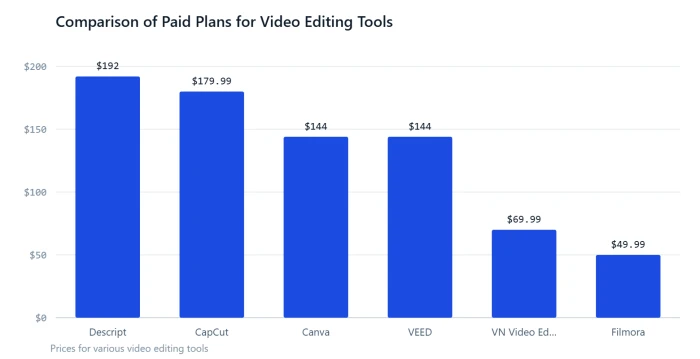
The receipt: what one year of editing costs
| Editor | Entry paid plan | One year |
|---|---|---|
| Descript | Hobbyist | $192 |
| CapCut | Pro | $179.99 |
| Canva | Pro | $144 |
| VEED | Lite | $144 |
| VN Video Editor | Pro (optional) | $69.99 |
| Filmora | Basic | $49.99 |
| DaVinci Resolve, Adobe Premiere on mobile, Edits, Clipchamp, iMovie | Free plan | $0 |
Only one alternative costs more than CapCut Pro. Five cost nothing at all.
3 CapCut changes you may have missed
1. The price more than doubled. Newsweek reported in February 2026 that the annual Pro plan rose from roughly $78 to $179.99. Monthly billing is now $19.99.
2. The free plan got smaller. Color tools such as Auto Adjust and Color Match are now paid, and free cloud storage has been gone since August 2024.
3. Your uploads come with a license. CapCut's terms say it does not own your content, but they grant the company a perpetual, worldwide license to use it. That is fine for a holiday clip. It is a different story for client numbers.
To be fair, the free plan still includes the multitrack timeline, keyframes and templates. CapCut is not broken. It is just no longer the obvious choice.
The $0 club: 6 editors that export clean video for free
VN Video Editor: CapCut, minus the bill
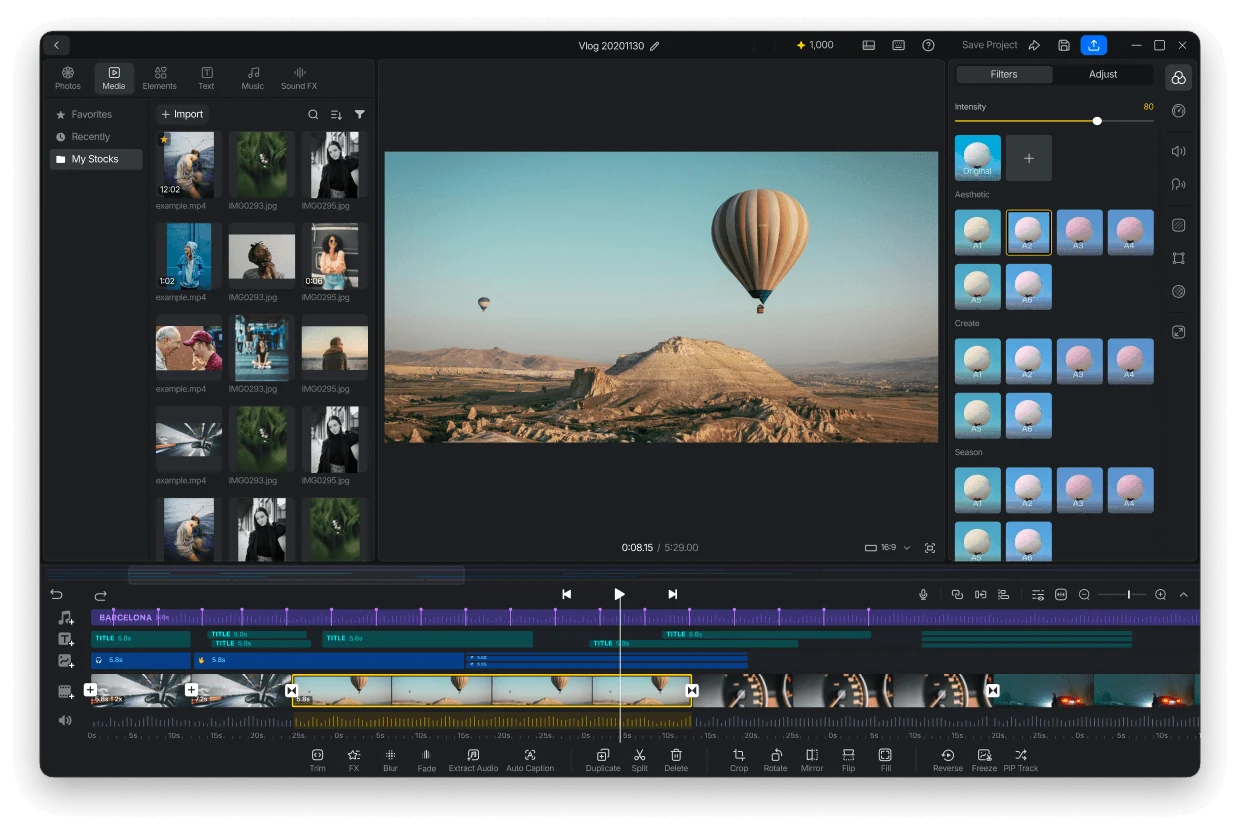
VN Video Editor is a free editor from Ubiquiti Labs that feels like CapCut before the Pro badges. The free plan gives you a multi-track timeline, keyframes, masks and speed curves, plus auto captions and templates. Exports go up to 4K at 60 frames per second with no watermark.
It also suits people who like control. You can import your own LUT color files and set the export resolution, frame rate and bitrate yourself. Core editing works offline, which is handy on a flight or a weak connection.
- The catch: The free plan stops at 100 projects, and AI tools run on paid credits
- Price: Free. Optional VN Pro is $7.99 a month or $69.99 a year
- Runs on: iPhone, Android and Mac
DaVinci Resolve: the Hollywood-grade editor that costs nothing
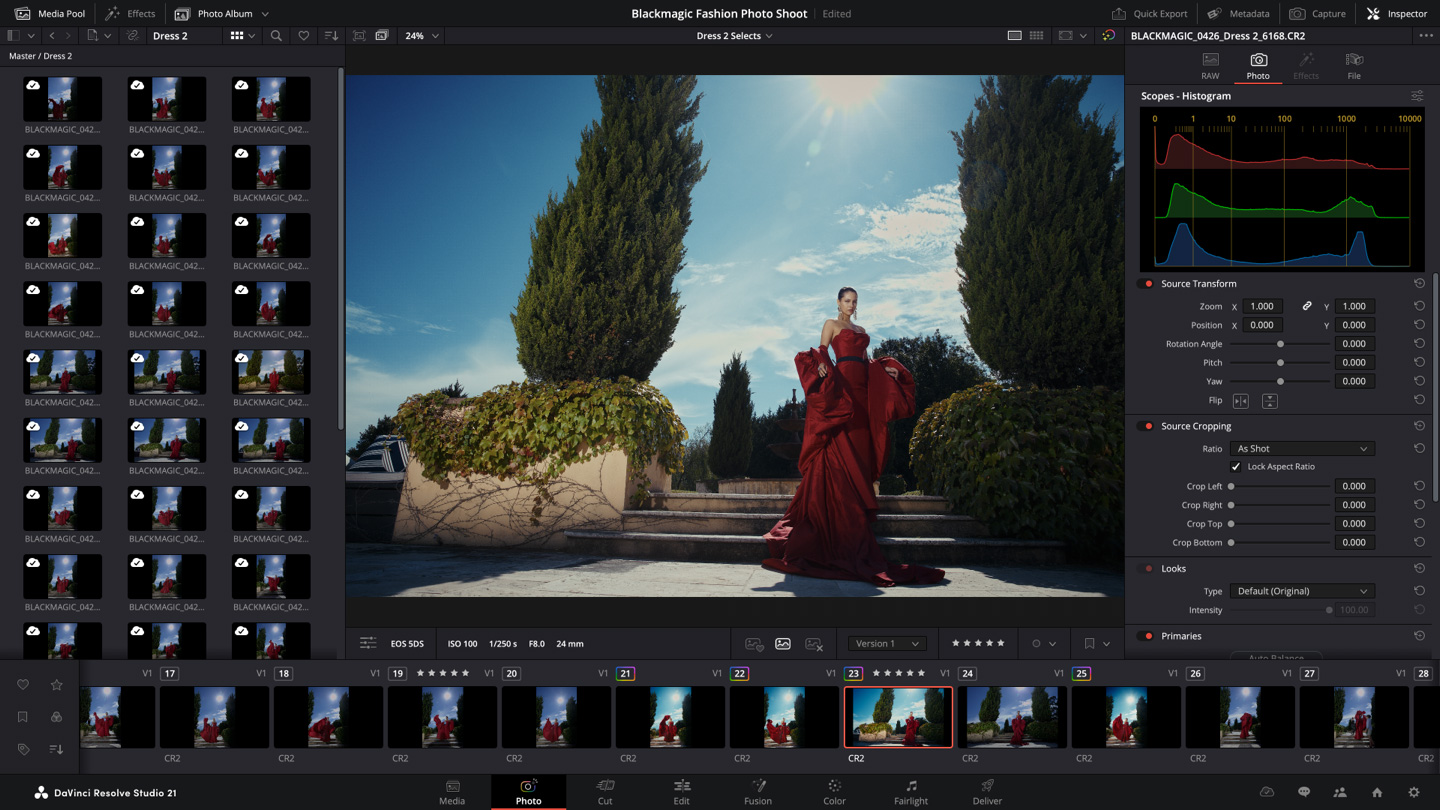
DaVinci Resolve is made by Blackmagic Design, and its free version is a complete professional editor, not a trial. There is no watermark and no time limit. One app covers editing, color grading, Fusion visual effects and Fairlight audio.
For data content, Fusion is the reason to learn it. You can animate a chart image, build lower thirds and keyframe callouts frame by frame. The free version handles video up to Ultra HD at 60 frames per second, which is plenty for YouTube and social.
If you outgrow it, the paid Studio version adds AI tools, stronger noise reduction and higher output limits.
- The catch: It looks like a cockpit on day one. Give it a weekend of tutorials
- Price: Free. Studio is $295, paid once, with no subscription
- Runs on: Windows, Mac and Linux, plus a free iPad version
Edits: Instagram's free answer to CapCut
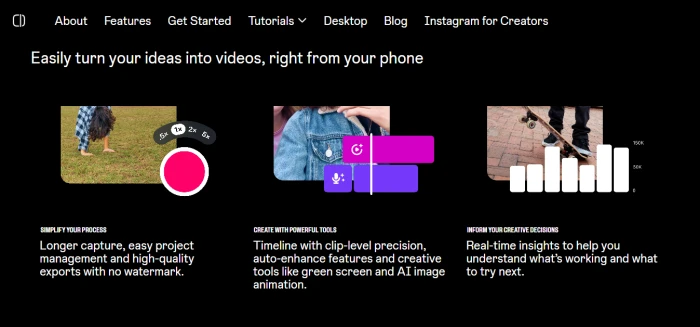
Edits is Instagram's own video editor. It launched in April 2025 as a CapCut competitor and is now used by more than 50 million creators. It is free, exports in 4K with no watermark, and includes green screen, cutouts, video overlays, fonts, filters and sound effects.
The Mac app arrived in November 2026 with a multi-track timeline, keyframe controls and automatic captions. It also brings color wheels, tone curves and support for your own LUTs. You can publish straight to Instagram from the desktop, with tagging and location built in.
One feature stands out for data-minded creators. Edits is the only editor that shows your Reel's drop-off curve next to your timeline, so you can see exactly where viewers leave.
- The catch: The desktop app needs an Apple silicon Mac, there is no Windows version, and an Instagram account is required
- Price: Free. A paid Edits Plus storage tier is confirmed, with no price announced
- Runs on: iPhone, Android and Mac
Adobe Premiere on mobile: a pro name with a $0 price
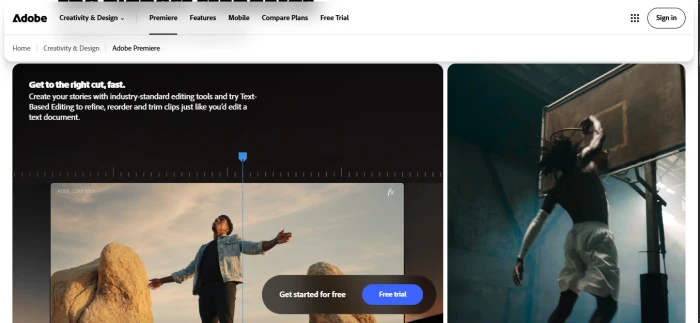
Adobe Premiere on mobile is Adobe's free phone editor and the replacement for Premiere Rush, which was retired on September 30, 2026. It gives you a multi-track timeline, AI-assisted tools and watermark-free 4K exports. Adobe says the app has no ads and no forced logins.
The extras are practical. Templates give you a starting point, and Enhance Audio cleans up sound in one tap. Auto captions and voiceover recording are built in. For teams, projects created on the phone can also be opened in Premiere Pro on desktop.
- The catch: Generative AI tools and cloud storage are paid upgrades, and Android needs version 13 or later with at least 5GB of RAM
- Price: Free
- Runs on: iPhone and Android
Clipchamp: the free editor already on your Windows PC

Clipchamp is Microsoft's video editor. It is built into Windows 11 and also runs in Edge or Chrome. The free plan includes core editing tools, AI subtitles, AI voiceovers, silence removal and free stock assets, with unlimited exports up to 1080p and no watermark.
It also has a screen, camera and voice recorder. That makes it a strong pick for business users. You can record a dashboard walkthrough, trim the pauses and add captions without leaving the app.
- The catch: Premium stock, a brand kit and 4K export need a paid plan, and the iPhone app was discontinued in 2026
- Price: Free. Premium features come with a Microsoft 365 Personal or Family subscription
- Runs on: Windows and browser
iMovie: the editor you cannot get wrong
iMovie is Apple's free starter editor. It costs nothing on Mac, iPhone and iPad, with no subscription and no watermark. Beginners get a clean layout, drag-and-drop editing and templates, and Magic Movies can assemble a first cut for you.
It is more capable than it looks. It exports up to 4K at 60 frames per second, and you can send a project from your phone to your Mac with AirDrop or iCloud Drive. When you outgrow it, the Mac version can send a project to Final Cut Pro.
- The catch: The timeline tops out at around two video tracks, and there is no real color grading or keyframing
- Price: Free
- Runs on: Mac, iPhone and iPad only
Worth paying for: 4 tools that buy back your time
Descript: edit video by deleting words
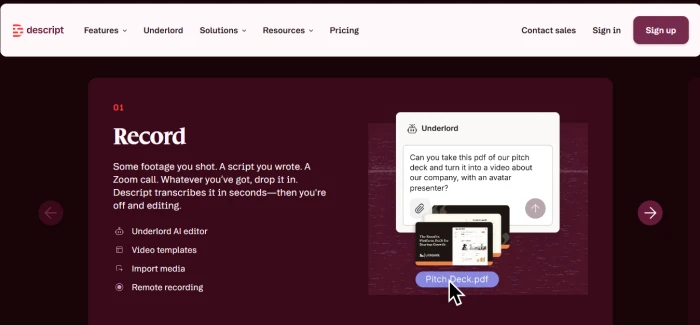
Descript is built for editing talking-head video by text. It turns your recording into a transcript, and you edit the video by editing the words. Delete a sentence and the cut is made for you.
Paid plans add Underlord, Descript's AI co-editor. Hobbyist gives you 10 hours of media a month with clean 1080p exports, and Creator raises that to 30 hours with 4K. For webinars, interviews and narrated data walkthroughs, it can turn an afternoon of trimming into a few minutes of reading.
- The catch: The free plan is a test drive, with 60 minutes of media a month and watermarked 720p exports. There is no mobile app
- Price: Hobbyist is $16 a month on annual billing or $24 month to month. Creator is $24 or $35
- Runs on: Windows, Mac and browser
Canva: a finished, on-brand video before lunch

Canva is a design platform with a video editor built in, and the full editor is included on the free plan. You get a timeline, trim and split tools, animated transitions and Enhance Voice for removing background noise. Text animations, voiceover recording, music tracks and Canva's library of graphics and photos are all in the same place.
The real strength is speed. You build a video the way you build a slide, so pairing a chart with a headline and a logo takes minutes. Paid plans add premium templates, Brand Kit and Background Remover.
- The catch: There is no multi-track audio or color grading, and Pro assets add a watermark on the free plan
- Price: Free. Canva Pro is listed at $144 a year in the US
- Runs on: Browser, desktop app, iPhone and Android
VEED: captions and translation without installing anything
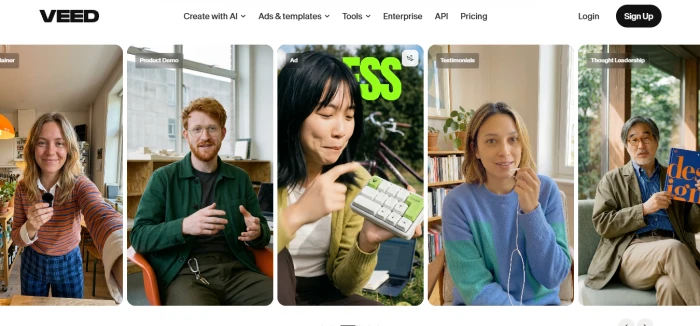
VEED is a browser editor that is strongest at subtitles and translation. The Lite plan covers 1080p exports with no watermark, auto subtitles and stock media. The Pro plan adds AI tools such as Clean Audio, Eye Contact and Magic Cut, plus subtitle translation and a brand kit.
It is a good fit when your data video will autoplay silently on LinkedIn. Captions carry the message when the sound is off, and VEED makes them quickly. Since it runs in a browser, a teammate can open the same project from any computer.
- The catch: Free exports are 720p with a watermark and a 10-minute cap
- Price: Lite is $12 a month on annual billing or $24 month to month. Pro is $29 a month on annual billing
- Runs on: Browser
Filmora: CapCut-style templates for $49.99 a year

Filmora from Wondershare is the most CapCut-like desktop editor, with templates, effects and AI tools. Under the hood you get a drag-and-drop editor with motion tracking, color correction, audio denoise, screen recording and a large effects library. Auto-captioning and AI background removal are included too.
It exports up to 4K and can publish directly to YouTube. The price is the headline, though. A full year costs less than a third of CapCut Pro.
- The catch: The free version puts a watermark on your exports, and the one-time license covers Filmora 15 only
- Price: Basic is $49.99 a year. Advanced is $59.99 a year with 1,000 AI credits a month. Perpetual is $79.99 once
- Runs on: Windows, Mac, iPhone and Android
The cheat sheet
| Editor | Clean export for free? | Where it runs | Paid from |
|---|---|---|---|
| VN Video Editor | Yes | iPhone, Android, Mac | $69.99 a year |
| DaVinci Resolve | Yes | Windows, Mac, Linux | $295 once |
| Edits | Yes | iPhone, Android, Mac | No paid plan yet |
| Adobe Premiere on mobile | Yes | iPhone, Android | AI and storage extras |
| Clipchamp | Yes | Windows, browser | Microsoft 365 plan |
| iMovie | Yes | Mac, iPhone, iPad | Free only |
| Canva | Yes, with free assets | Browser, desktop, mobile | $144 a year |
| Descript | No | Windows, Mac, browser | $16 a month (annual) |
| VEED | No | Browser | $12 a month (annual) |
| Filmora | No | Windows, Mac, mobile | $49.99 a year |
The part every CapCut list skips: your chart looks terrible
You spend an hour on the edit. Then you screenshot a spreadsheet, drop it in, and the whole video looks like a 2009 webinar.
Video editors are not chart tools. Their graph stickers are decoration. Here is the fix, and it takes about a minute:
- Make the chart properly. Paste your numbers into ChartGPT or describe the chart in one sentence. You can make your first chart without an account.
- Tell it the point. Say what the chart is for and the title states the finding instead of naming the variables.
- Export as PNG and overlay it. The PNG comes out at twice the resolution, so it stays sharp. Drop it on the track above your footage.
- Hold, then export. Keep it on screen four to five seconds. Export at 1080p or higher. For YouTube, use YouTube's recommended upload encoding settings, which call for MP4 with H.264 video.
Still stuck? Answer one question
What annoys you most about CapCut?
- The price: VN on a phone, DaVinci Resolve on a computer
- The Pro badges and watermarks: Adobe Premiere on mobile or Clipchamp
- The upload terms: DaVinci Resolve or iMovie, which work on files stored on your own device
- The time it takes: Descript for talking videos, Canva for branded posts
- Nothing, I love it: Stay. The free plan still covers the core timeline
The bottom line
CapCut raised its price. You do not have to follow it.
Six free editors can replace it today, and four paid ones earn their fee by saving you time. Pick the one that matches your biggest complaint and move on.
Then fix the part viewers screenshot. Make your chart in ChartGPT, export it, and drop it into your next video.